On this page
Seedance Image to Video: Versions, Settings & a Tested Example
 Photo to Video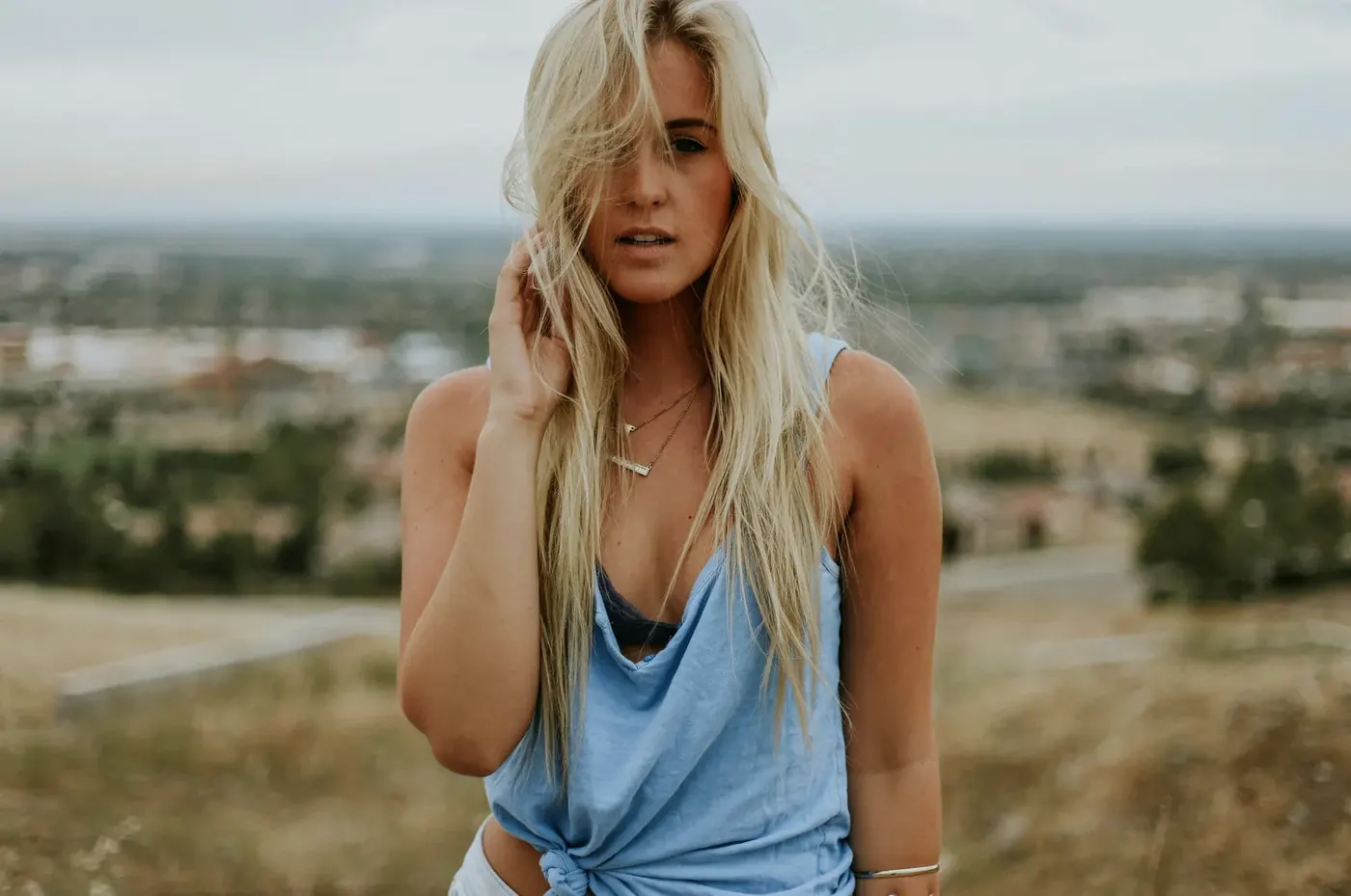
Seedance is ByteDance's video model family, and on Photo to Video it shows up twice in the model menu: once as Seedance and once as Seedance 2. The same label can refer to different model versions. "Fast" under Seedance can mean two different models depending on the resolution you pick, and the card called Seedance 2 also holds Seedance 2.5.
This guide maps every menu choice to the model that actually runs, explains which settings change between them, shows what each costs in credits, and walks through one real test: a 5-second Seedance 2.0 Mini clip made from a portrait, with the prompt, the charge and what came back.
To begin, open the Seedance generator, upload a photo, enter a motion prompt and check the credit quote before pressing Make Video. Our test used Seedance 2 → 2.0 Mini, 5s and 480p. Read on to choose settings for your own image.
Where Seedance lives in the model menu
Open the model picker at the top of the generator. You'll see two separate cards:
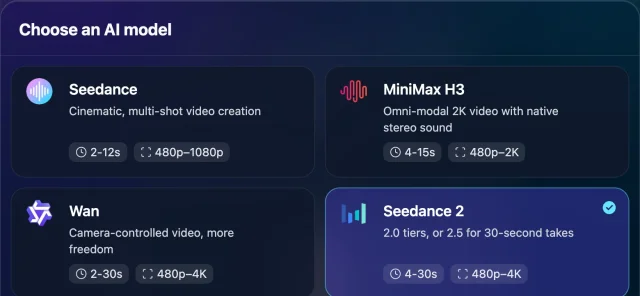
- Seedance is the older generation (1.0 and 1.5). Inside it you choose Fast or Pro.
- Seedance 2 groups the 2.0 and 2.5 models. Inside it you choose 2.0 Mini, 2.0 Fast, 2.0 Pro or 2.5.
The version choice appears under the prompt once a photo is loaded. The other settings (length, resolution, aspect ratio, references, end frame) sit next to it and change depending on the version you pick.
Which version actually runs
| You pick | What runs |
|---|---|
| Seedance → Fast, 480p | Seedance 1.0 Pro Fast |
| Seedance → Fast, 720p or 1080p | Seedance 1.5 Pro Fast |
| Seedance → Pro | Seedance 1.5 Pro |
| Seedance 2 → 2.0 Mini | Seedance 2.0 Mini |
| Seedance 2 → 2.0 Fast | Seedance 2.0 Fast |
| Seedance 2 → 2.0 Pro | Seedance 2.0 (the full model) |
| Seedance 2 → 2.5 | Seedance 2.5 |
Two things are easy to miss:
- Under Seedance, the resolution changes the model. Fast at 480p is Seedance 1.0; Fast at 720p or 1080p is Seedance 1.5. That's why the length range and the audio switch change when you move between 480p and 720p on Fast.
- Mini, Fast and Pro are not just quality levels. They're separate models with their own prices, speeds and behaviour. A Pro clip isn't a sharper copy of the Mini clip you would get from the same prompt; it's a different render. Resolution is a separate setting, and every Seedance 2 version goes up to 4K.
What changes between versions
The settings row adapts to the version, so the honest way to compare them is by what each one lets you set.
Length
| Version | Length you can pick |
|---|---|
| Seedance 2.0 Mini, Fast, Pro | 4–15 seconds |
| Seedance 2.5 | 4–30 seconds |
| Seedance Fast at 480p | 2–12 seconds |
| Seedance Fast at 720p+, Seedance Pro | 4–12 seconds |
If you need more than 15 seconds in one take, 2.5 is the only Seedance option. The picker card says "4–30s" for Seedance 2 as a whole, but only 2.5 goes past 15.
Resolution
All four Seedance 2 versions offer 480p, 720p, 1080p and 4K. The older Seedance card stops at 1080p. Credits scale with resolution, so a common way to work is to try a prompt at 480p and only re-run the shot you keep at a higher resolution. A re-run is a new generation, though, so it won't be the same clip at more pixels.
Sound
- Seedance 2 (all versions): audio is always generated. There is no switch on our page, even though the underlying API has one.
- Seedance Fast at 720p+ and Seedance Pro: a Generate Audio switch, on by default.
- Seedance Fast at 480p: silent, with no switch.
On this page, you can describe the sound in the prompt ("soft wind and distant birds", "quiet café chatter"), but a prompt does not guarantee an audible or accurate result. If you need a silent clip, mute or strip the track after downloading.
Aspect ratio
The 2.0 versions have an aspect menu: Original, 16:9, 9:16, 1:1, 4:3, 3:4 and 21:9. 2.5 has no aspect menu on our page.
Original doesn't force your photo's exact shape. It leaves the ratio unspecified and lets the model choose the output shape. In our test a 3:2 photo came back at 752×560, which is close to 4:3, and the framing changed too: how much of the frame the person fills and how much of her body shows were both different from the photo. If the exact frame matters (a 9:16 story, a 1:1 post), pick that ratio instead of Original, and keep important detail away from the edges.
Reference images and end frame
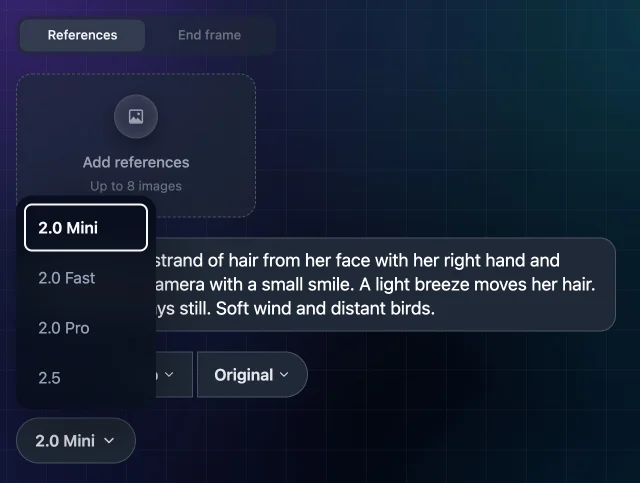
Every Seedance 2 version has two tabs under your photo:
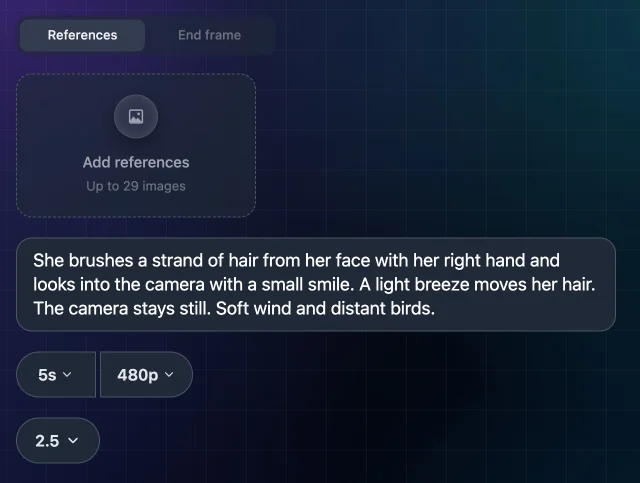
- References lets you add extra images: up to 8 on the 2.0 versions, up to 29 on 2.5. Those counts don't include your main photo, so the totals are 9 and 30.
- End frame lets you add one image to guide the ending.
They don't combine. Whichever tab is active when you press Make Video decides how the photo is used:
- End frame tab: your photo is the first frame and the clip moves toward the end image.
- References tab with images added: your photo becomes the first item in a set of references. The set guides the generated characters, products or style; consistency is not guaranteed, and your photo is no longer required to be the opening frame.
On the older Seedance card there are no reference images. Pro has an Add end frame button; Fast has neither.
Other switches
Seedance 2 also shows Spicy and Turbo switches. They change the generation mode and can change the quote. Neither was enabled in our test.
What Seedance costs in credits
Every number below comes from the same price lookup the Make Video button uses. We checked them on 27 October 2026. Prices can change, and the button always shows the current cost before anything is charged.
5-second clip with sound, Seedance 2:
| Version | 480p | 1080p |
|---|---|---|
| 2.0 Mini | 36 | 180 |
| 2.0 Fast | 65 | 325 |
| 2.0 Pro | 84 | 420 |
| 2.5 | 162 | 810 |
- Longer clips cost more. In the checked Seedance 2 combinations, 10-second quotes were twice the 5-second quotes and 15-second quotes were three times as much. Check your selected combination before submitting.
- 4K jumps further: 360 credits for 5 seconds on 2.0 Mini, 840 on 2.0 Pro and 1,620 on 2.5. At 4K, 2.0 Fast (900) costs more than 2.0 Pro.
- On the older Seedance card, a 5-second clip was 6 credits on Fast at 480p and 18 on Pro at 480p when we checked, rising to 39 and 88 at 1080p.
Eligible new accounts receive welcome credits once, and you can buy more in packs; there's no subscription. The Seedance page FAQ covers the current free-credit details.
Tested example: one Seedance 2.0 Mini clip
We ran one generation on the live site with a signed-in test account to show one Seedance 2 result. It's a single clip, not a comparison. It doesn't show that Mini is better or worse than the other versions.
Input: a 1400×929 portrait (3:2) of a woman on a hillside, hair partly across her face.
Cost and time: the button showed 36 credits and 36 were deducted. The clip was ready about two minutes after we pressed Make Video. We generated once and didn't retry.
Seedance 2.0 Mini: portrait motion test
Original image
Generated result
Prompt used: She brushes a strand of hair from her face with her right hand and looks into the camera with a small smile. A light breeze moves her hair. The camera stays still. Soft wind and distant birds.
What came back: an approximately 5-second, 752×560 clip at 24 fps with a stereo audio track. The video stream is 5.04 seconds; the file including audio is 5.09 seconds.
- Motion: she lifts her right hand to her hair, clears it from her face, then looks into the camera and smiles. The hair keeps moving in the wind.
- Camera: the framing stays steady, with no push-in or pan.
- Shape and framing: the output is close to 4:3, not the photo's 3:2, and the composition was regenerated: the person fills a different share of the frame than in the photo.
- Face: later in the clip the face looks smoother than in the photo, while the resolution is lower, the hair has moved away and the expression has changed. We can't say which of those causes it, so compare faces and fine details against your original before you use a clip.
- Sound: there is a stereo audio track, but it's quiet. We couldn't reliably confirm the birds the prompt asked for.
Limits of this test: one photo, one prompt, one version, one resolution, one run. It says nothing about 720p and above, the other Seedance versions, references or the end frame. AI video varies from run to run, so the same settings can come back differently next time.
How to get a Seedance video from a photo
- Open the Seedance generator and upload your photo. Seedance 2 is preselected there.
- Pick a version under the prompt. Start with 2.0 Mini while you work out the prompt.
- Set Duration and Resolution. Keep 480p for drafts.
- On a 2.0 version, choose an aspect ratio if the destination needs a fixed shape; otherwise leave Original. The 2.5 version has no aspect-ratio menu here. Check the downloaded dimensions before delivery.
- Optionally add References to guide a character or product, or an End frame to guide the ending. Pick one tab; neither guarantees exact preservation.
- Write what should move, how the camera behaves, and what it should sound like.
- Check the credit number on Make Video, then press it. The finished clip appears in place and in History.
For general advice on choosing photos and writing prompts across all models, see how to turn a photo into an AI video and the image-to-video prompt guide.
Prompt ideas for Seedance
Only the prompt in the test above was actually run. The ones below are untested starting points that follow the same pattern: one clear action, a camera instruction, and a sound line, because Seedance 2 always generates audio.
- Portrait: "He turns his head slowly toward the camera and nods once. The camera stays still. Quiet room tone."
- Product: "The bottle rotates a quarter turn on the table while soft light moves across the glass. Static camera. Gentle ambient hum."
- Pet: "The dog tilts its head and its ears twitch. Slow push-in. Birds outside."
- Landscape: "Clouds drift left across the mountains and the grass sways. Slow pan right. Steady wind."
- Old photo: "The couple blink and smile slightly. Everything else stays still. Faint film projector sound."
Tips that follow from how the settings work:
- Say what stays still. "The camera stays still" or "everything else stays still" states the motion you want to restrict; inspect whether the output follows it.
- Write the sound you want. With Seedance 2 you get audio either way, so describe it rather than leaving it to chance.
- Match length to the action. One small action fits in 5 seconds. If you ask for several beats, give the clip enough time.
Which version should you pick?
- Testing a prompt or on a tight budget: Seedance 2 → 2.0 Mini at 480p. Or the older Seedance → Fast at 480p if you don't need sound.
- You want to request a silent generation: Seedance → Fast at 720p+ or Seedance → Pro, and switch Generate Audio off.
- You need more than 15 seconds in one take: Seedance 2 → 2.5, the only version that goes to 30 seconds.
- You need the clip to land on a specific image: any Seedance 2 version, or Seedance → Pro, with an end frame.
- You want several photos to guide a character or product: Seedance 2 with references. Use 2.5 if you have more than 8 extra images.
- A larger output: if you need more pixels, generate again at 1080p or, on Seedance 2, 4K. Check the credit price first and review the new clip independently; it can change the motion and details.
A test with your own image can help you choose, but one result does not establish which model is best. Start with a small, lower-cost trial and inspect it before spending more.
FAQ
Is Seedance 2.5 the same as Seedance 2.0? No. 2.5 is a separate model listed inside the Seedance 2 card. On our page it differs from the 2.0 versions in length (up to 30 seconds), reference images (up to 29 extra) and the missing aspect menu, and it costs more per second.
Can I turn off sound in Seedance 2? Not on our page. All Seedance 2 versions generate audio every time. The older Seedance card has a Generate Audio switch on Fast at 720p and above, and on Pro.
Does "Original" keep my photo's exact aspect ratio? Not necessarily. Original leaves the output shape to the model. In our test a 3:2 photo came back close to 4:3, with different framing. Pick a fixed ratio if you need one.
Can I use reference images and an end frame together? No. Whichever tab is active when you generate decides: references, or a start and end frame.
Is this the official Seedance website? No. Photo to Video is an independent product that runs ByteDance's Seedance models through API partners. See ByteDance Seed's Seedance 2.0 page for the model itself.
Sources
- ByteDance Seed, Seedance 2.0
- WaveSpeed AI, Seedance 2.0 Mini Image-to-Video API documentation
- Photo to Video generator settings and credit prices, checked on photo2video.ai on 27 October 2026