
Wan 3.0 AI Video Generator
Turn a photo into a video up to 30 seconds long with Wan 3.0 and native audio. Free credits to start, no subscription.
WAN 3.0 IN MOTION
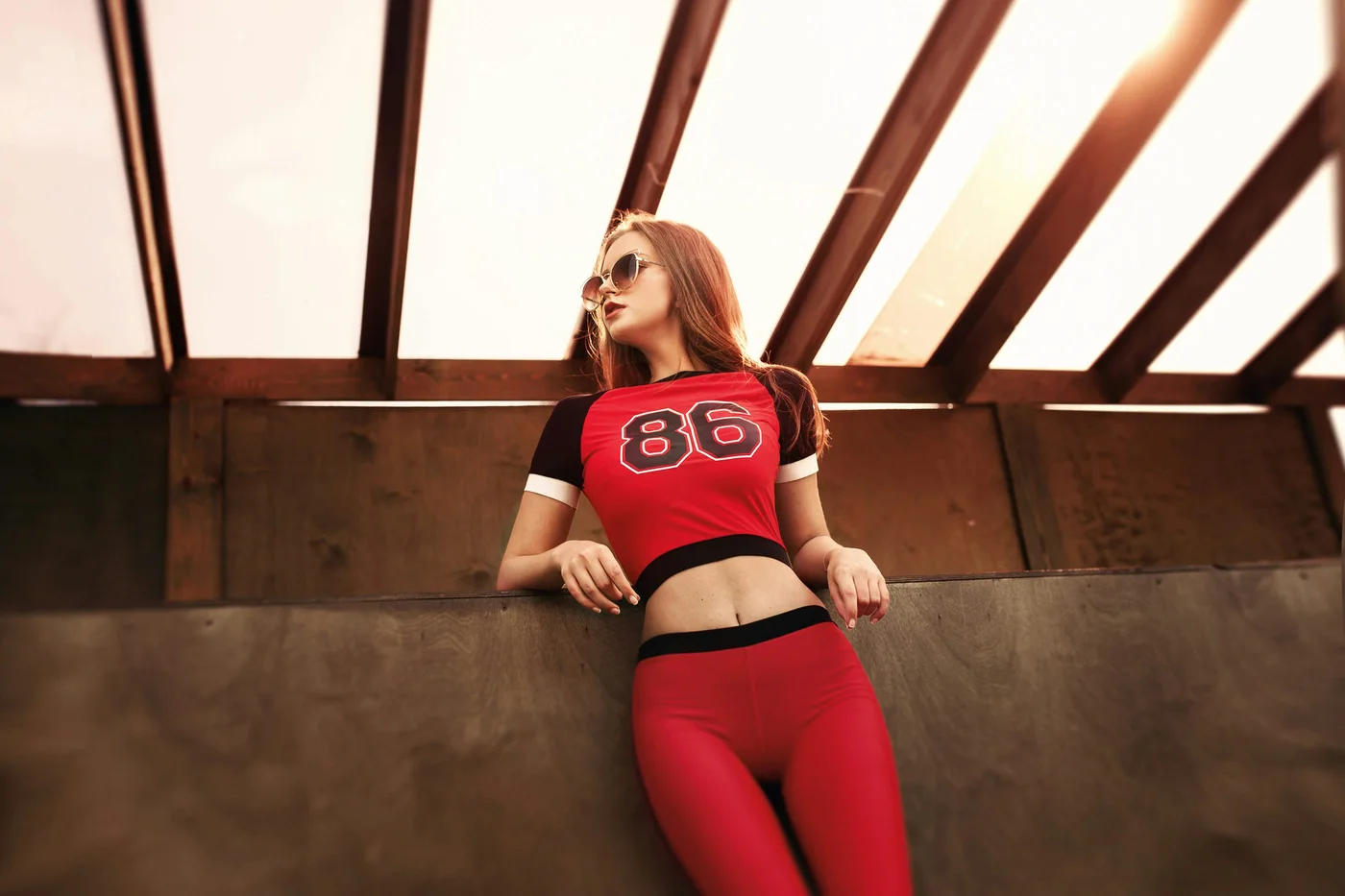
A single portrait becomes an 8-second fashion film. Flowing red silk, warm backlight and a moving camera create a stylized scene with a live-action look. Play the video to hear the sound.
View the prompt
A bold, creative high-fashion film photographed on a real constructed art-installation set. One continuous low-angle live-action take, beginning exactly on the reference photo. The same woman gently pushes away from the railing and walks two calm steps forward; the camera smoothly dollies backward with her, gradually revealing the space. Keep the existing timber-and-glass greenhouse architecture real and intact. Above and behind her, enormous translucent crimson silk banners suspended from visible slim rigging slowly unfurl from the roof beams, billowing in broad sculptural waves like an ocean of red fabric. They frame her without crossing her face or touching her body. As the camera reveals more of the floor, it is a real slightly wet dark stone runway with subtle rippled reflections, not a perfect computer mirror. Golden late-day sunlight passes through the actual glass roof and red silk, throwing moving warm ruby shadows onto the timber and floor. A large circular warm-white stage light, visibly mounted beyond the far end, reads like a low sun through the fabric. The woman remains the clear hero, wearing exactly the same red-and-black 86 top, red trousers and sunglasses, with consistent auburn hair and facial features. Make the scene feel like a daring physical installation that a film crew genuinely built: tactile silk weave, seams, gravity and wind, gently weathered wooden beams, real water texture, natural skin pores, optical reflections and believable contact shadows. Shot on a 35mm cinema lens with a controlled dolly move, mild depth of field, restrained optical flare and subtle film grain. Deep crimson against muted teal shadows and golden sun. Finish on a composed full-body fashion portrait inside the moving red-silk canopy. Photorealistic live-action cinematography, no cartoon styling, no 3D-render sheen, no impossible floating architecture, no cuts, no new text or logos. Sound: soft wind, silk flutter and one restrained low musical pulse, no speech.
Generated at 1080p; optimized to 720p for web playback.
CHOOSE YOUR WAN VERSION
The picker is Fast, Pro, and Prime, and Pro and Prime have a Spicy switch. Every Wan generation is in the generator above — the badge shows what to pick in the model menu, and on Pro the resolution decides the version.
| Version | Resolution | Length | Audio | Best for |
|---|---|---|---|---|
| Wan 3.0Pro | 480p – 1080p | 2–30s | Always on | The default for most clips |
| Wan 3.0 PrimePrime | 480p – 1080p | 2–30s | Always on | The higher-priced 3.0 tier |
| Wan 3.0 SpicyPro or Prime · Spicy | 480p – 1080p | 2–30s | Always on | Looser content rules |
| Wan 2.6 FlashFast | 720p – 1080p | 5, 10 or 15s | Optional | The cheapest way to iterate |
| Wan 2.7 ProPro | 2K, 4K | 5, 10 or 15s | Always on | Big-screen output |
Need help choosing a version or reviewing your first result? Read our Wan image-to-video guide for current settings and a tested example.
WAN, ANSWERED
Is Wan AI free to use?
Yes to start: the free credits you get on sign-up cover the default here, an 8-second Wan 3.0 clip with sound at 480p, which costs 48 credits. After that it is pay-per-video with credits — no subscription, no card up front, and the exact price sits on the Make Video button before anything is spent. The Fast tier starts lower: 33 credits for 5 seconds at 720p, 17 with sound off.
Can I use Wan AI online without installing anything?
Yes. Wan runs in your browser here: sign in, upload a photo, describe the shot, pick a tier, and generate. Nothing to download and no waitlist. Every Wan tier on this page is reachable from the web generator above, on desktop or in a mobile browser.
What is Wan best at?
Camera language and sound. Wan takes plain-English direction about how the camera should move — push in, orbit, crane up — and produces a matching soundtrack in the same pass rather than dubbing one on afterwards. If your shot is about moving through a space rather than a subject holding still, Wan is the model to pick.
Does Wan generate audio?
Yes, and on Pro and Prime it is always on. The audio is generated together with the picture, so footsteps, wind and room tone line up with what you see instead of being laid over the top. On the Fast tier audio is a toggle, which keeps drafts cheaper when you only need to check the motion.
Wan 2.6, 2.7 or 3.0 — which one am I using?
The picker is Fast, Pro, and Prime, so you never have to name a version. Pro is the default: 480p to 1080p run Wan 3.0, and 2K and 4K run Wan 2.7 Pro, the only tier that reaches them. Fast runs Wan 2.6 Flash. Prime is Wan 3.0 Prime, at 480p, 720p or 1080p. The Spicy switch on Pro and Prime runs the Spicy edition of the same Wan 3.0 tier.
Is this the official Wan website?
No. Photo to Video is an independent product by Joseph Works Limited that runs Wan — Alibaba's video model — through official API partners, and is not affiliated with or endorsed by Alibaba. The upside is that Seedance, Kling, Hailuo, Vidu, Veo and Sora sit one click away in the same generator, so the same photo can go through several models.