On this page
How to Swap a Character in a Video with AI
 Photo to Video
Short answer: upload a video and one photo of the new person to Recast, and the AI puts that person in place of the one in your video, keeping the motion, the background and the sound. Your first swap is free with no sign-up (one photo, up to 15 seconds, 480p). In our test an 8-second clip cost 80 credits and was ready in about 96 seconds.
You have a video you like: the moves, the camera, the timing are right. You just want someone else in it. Maybe it's a dance you want to see yourself doing, a skit where a friend plays the lead, or a product demo that needs your own presenter. This guide covers what a character swap is (and how it differs from face swap), the steps, what it costs, how to pick a video and a photo that work, and one real test from start to finish.
What a character swap is
A character swap replaces the whole person in a video with the person from your photo. The AI follows the original movement and timing, and redraws the person frame by frame: face, hair, body shape and clothes all come from your photo. The background and the original sound stay. The camera framing tends to follow your photo, so match the photo to the shot (see our test below).
| Face swap | Character swap | |
|---|---|---|
| What changes | Only the face | The whole person: face, hair, body, clothes |
| What stays | Body, hair, outfit of the original person | Movement, timing, background, sound |
| Good for | Keeping a look but changing who it is | Putting a completely different person in the scene |
So if the person in your video wears a red dress and your photo shows someone in a grey sweater, a face swap keeps the red dress; a character swap gives you the grey sweater.
What it's good for:
- Dances and trends: put yourself or a friend into a dance you didn't film.
- Skits: recast the lead without reshooting.
- Product demos and ads: keep one demo video and make versions with different presenters (with their permission).
What it doesn't do:
- It doesn't change the scene. To change the background, weather or style, see how to edit a video with AI.
- It doesn't make the clip longer. For that, see how to extend a video with AI.
- You can't steer it with a prompt. Recast has no prompt box. If you want to add instructions, use GENJUTSU (more below).
How to swap a character in a video, step by step
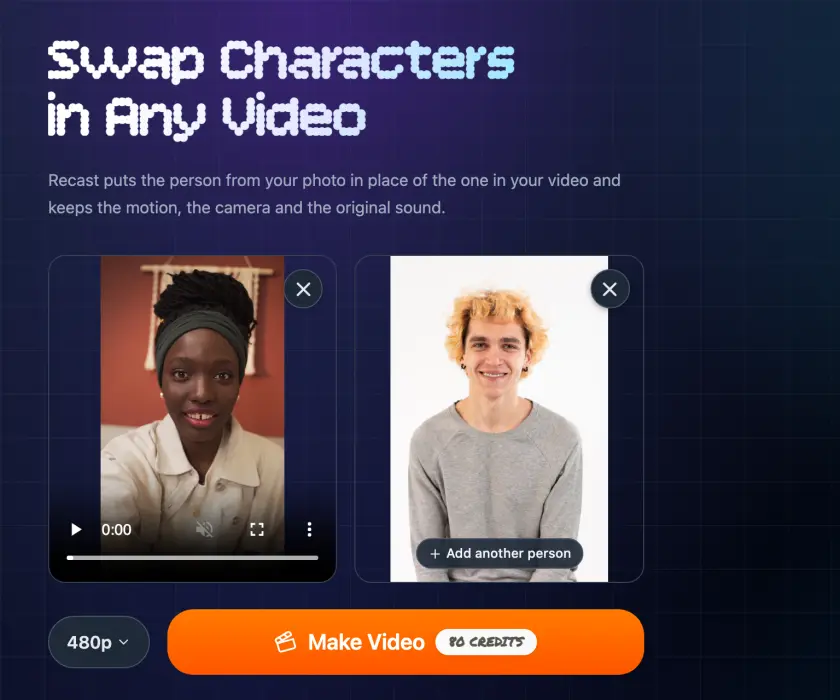
- Open Recast. No account needed for your first swap.
- Upload your video. Up to 30 seconds, with the person you want to replace clearly visible. For your first try, use a clip of 15 seconds or less so it's free.
- Add a photo of the new person. One clear, well-lit photo per person. With one photo, Recast replaces the most prominent person in the video. To replace more people, add up to four photos; they replace the people in the video from left to right.
- Pick a resolution and check the price. The price shows on the button before you generate. Recast picks the right setup for your video and photos automatically.
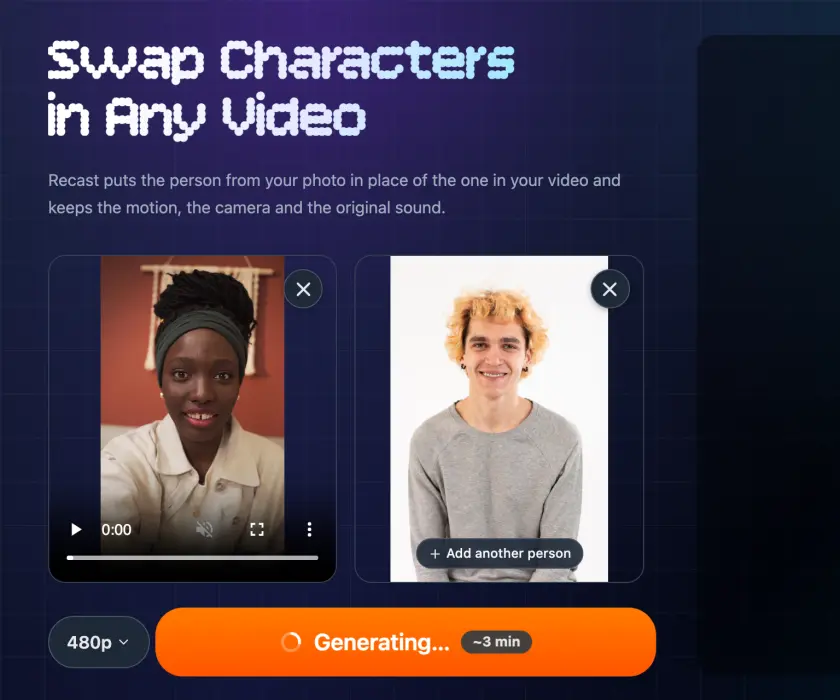
- Make the video. A 15-second clip with one photo takes about 3 minutes at 480p. You can watch the progress on the page.
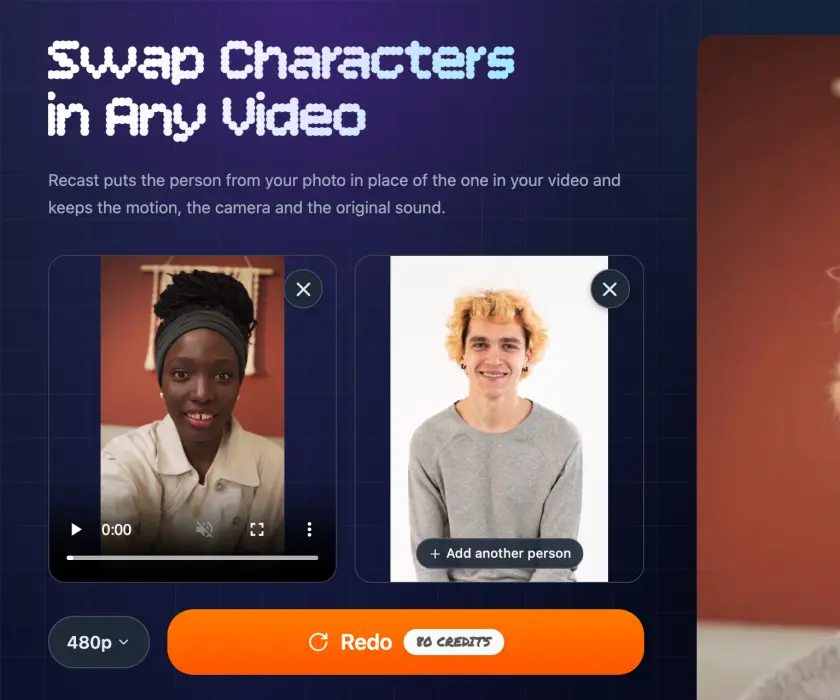
- Download it. Preview the result and download the MP4.
Is it free? What does it cost?
Your first swap is free, with no sign-up: one photo, a clip of up to 15 seconds, at 480p. One free swap per person.
After that you pay with credits, by the length of your video:
| Your video and photos | Resolution | Credits per second | 8-second clip | 15-second clip |
|---|---|---|---|---|
| 1 photo, clip up to 15 s | 480p | 10 | 80 | 150 |
| 1 photo, clip up to 15 s | 768p | 20 | 160 | 300 |
| 2–4 photos, or clip over 15 s (5–30 s) | 768p | 30 | 240 | 450 |
| 2–4 photos, or clip over 15 s (5–30 s) | 1080p | 45 | 360 | 675 |
Clips under 3 seconds count as 3 seconds on the one-photo option. Credits come in one-time packs, with no subscription, and new accounts get free credits to start. The exact price always shows on the button before you generate.
The cheapest way to test: one photo, a few seconds of video, 480p. Get the framing right on a short clip, then run the full one.
How long it takes
In our tests with one photo, a 15-second clip took about 3 minutes at 480p and about 6.5 minutes at 768p. Shorter clips are faster: our 8-second test at 480p was ready in about a minute and a half.
How to pick a video and a photo that work
The swap is only as good as what you give it. Most bad results come from one of these.
The video
- One shot. Cuts and camera changes confuse the swap. If your clip has cuts, trim it to one shot first.
- The person is clearly visible. Not tiny in the frame, not mostly hidden, not in the dark.
- Few people, not overlapping. Crowds and people who walk in front of each other make it less reliable.
- Start short. You pay per second, so test a few seconds first.
The photo
- Match the framing. Head and shoulders in the video, a head-and-shoulders photo. Full body dancing, a full-body photo. A close selfie, a close selfie-style photo. This matters more than anything else: in our test, a waist-up studio portrait turned a hand-held selfie into a still, further-back shot.
- One sharp, well-lit photo per person, facing the camera, nothing covering the face.
- A plain background helps. The AI has to work out where the person ends; a busy background makes that harder.
- Pick someone with a similar outline. The swap can follow the original person's silhouette, so long hair or a long coat in the video can carry over. In one of our tests, a short-haired character kept the dancer's long hair.
Use people you have the right to use. Only upload videos and photos you're allowed to use, and get permission from the people in them. Using a character swap to impersonate, deceive or harass someone, or to make intimate or misleading content of real people, is against our Terms of Service.
A real test: a selfie vlog, recast with one photo
We picked a source and a photo that are very different, to see how much of the person really changes. One run, no retries.
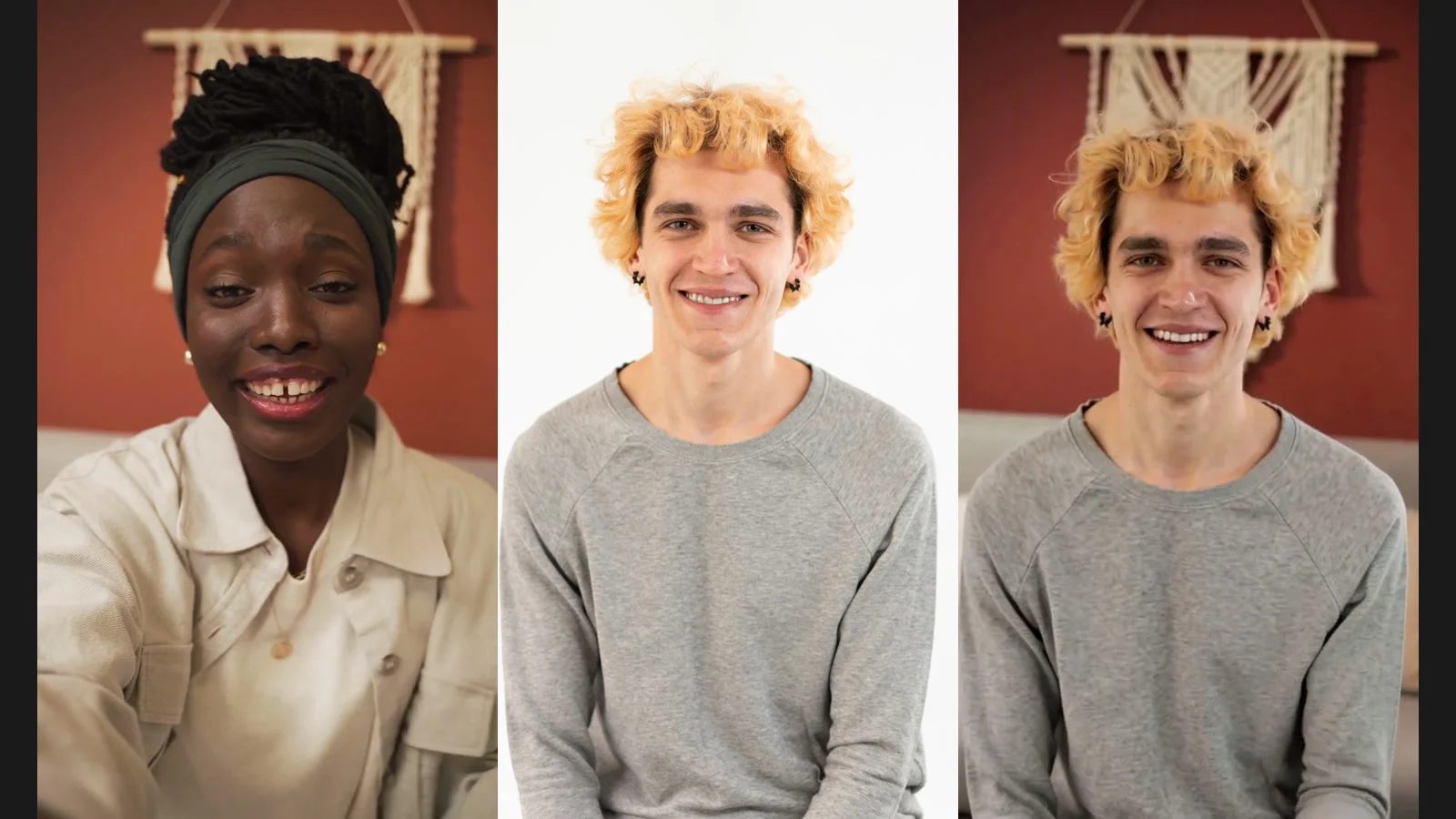
- The video: 8 seconds, vertical (720×1280), one shot. A woman with dark braided hair in a green headband and a beige jacket talks to her phone camera, laughs and waves, in front of a red wall.
- The photo: a young man with blond curly hair in a grey sweater, facing the camera, waist-up, white background.
- Settings: one photo, 480p. The button showed 80 credits (8 s × 10 credits), and that is what was charged.
- Time: ready about 96 seconds after we pressed the button.
- Output: 480×864, 24 fps, 8 seconds, the same length as the source.
Original
Recast
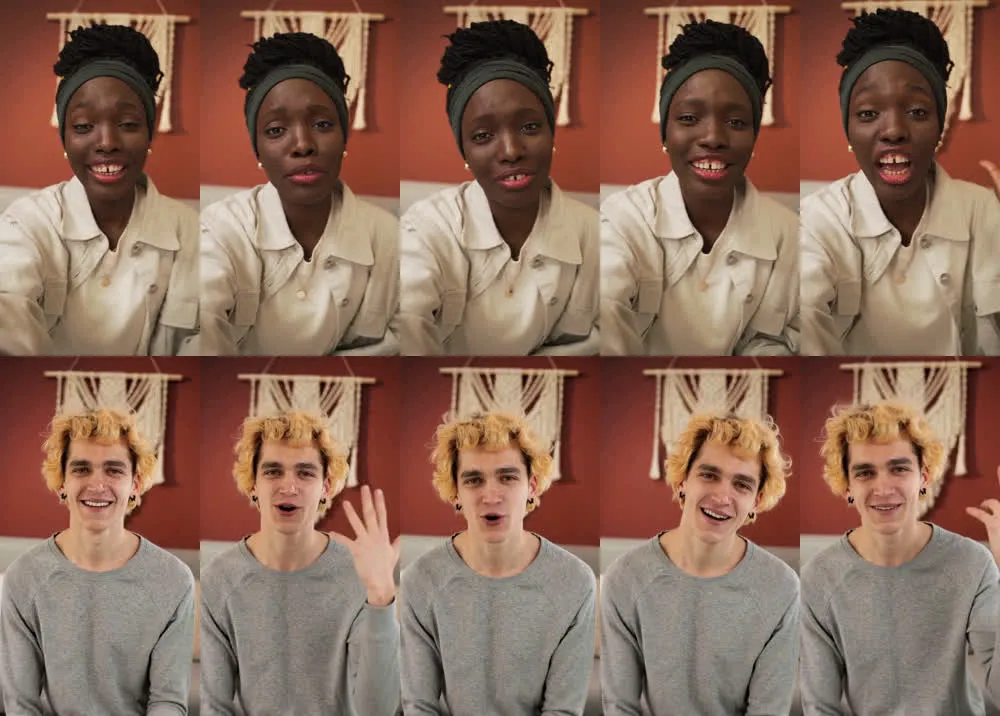
What worked: the whole person changed, not just the face. The blond curls, the grey sweater and even the small black ear studs come from the photo; her headband, braids and beige jacket are gone. The room stayed the same: red wall, macramé hanging, sofa. He talks, laughs and waves at roughly the same moments she does.
What didn't: the camera changed. The original is a hand-held selfie: her arm reaches toward the lens and the frame moves a little. The result follows his photo instead: he sits further back, both hands free, and the camera is still. The selfie feel is gone.
Lesson: match the photo to the shot. Our photo was a front-on, waist-up studio portrait; the video was a close, hand-held selfie. For a selfie video, use a close selfie-style photo of the new person.
The source clip had no sound, so this test doesn't show the audio. Recast keeps the original soundtrack: if your video has sound, the swapped video has the same sound.
Recast or GENJUTSU?
Both swap characters. Use Recast for most swaps: it's simpler, your first one is free, and with one photo on a clip of 15 seconds or less it's cheaper and offers 480p. Use GENJUTSU when you want to add a prompt to steer the result. With two or more people, or clips over 15 seconds, both use the same AI model.
FAQ
Can I swap a character in a video for free?
Yes. Your first swap on Recast is free with no sign-up: one photo, a clip of up to 15 seconds, at 480p.
Do I need to sign up?
Not for the free swap. After that you need an account to buy and use credits.
Does it keep the original audio?
Yes. The movement, timing and soundtrack of the original video carry over to the new character.
Can I swap more than one person?
Yes, up to four. Add one photo for each new person; they replace the people in the video from left to right.
How long can my video be?
Up to 30 seconds. One photo on a clip of 15 seconds or less is the cheapest option (480p or 768p). Two to four people, or clips longer than 15 seconds, are made at 768p or 1080p, for clips of 5 to 30 seconds.
Why does the new person still have the old hairstyle?
The swap can follow the original person's outline. Pick a photo of someone with a similar silhouette, or a clip where the original person's hair and clothes are close to the new person's.
Is a character swap the same as a deepfake?
It uses similar technology, so the rules matter. Use it for creative work, with videos and photos you have the right to use and permission from the people in them. Impersonating or deceiving people is against our Terms of Service.
Ready to put someone new in your video?
Sources
- Photo to Video Recast page: prices, limits, free swap rules and tips, checked November 5, 2026.
- One test swap on the live site, November 5, 2026, described above.